Introduction
Microsoft has been one of the most powerful technology companies globally for many years. Microsoft's collection of productivity tools, like Word, Excel, PowerPoint, Outlook, Teams, and OneNote, is now a key part of how businesses, schools, and professionals communicate and work. Microsoft has kept up with new technology by updating its products to fit what users need now, and it has also come up with new ideas that help people work better and faster.
In April 2020, Microsoft changed the name of its Office suite to Microsoft 365, highlighting its focus on giving users continuous access to productivity tools and cloud services throughout the year. This change showed Microsoft's bigger plan to build a linked system where people can work, talk, share ideas, and make things easily from different devices and platforms.
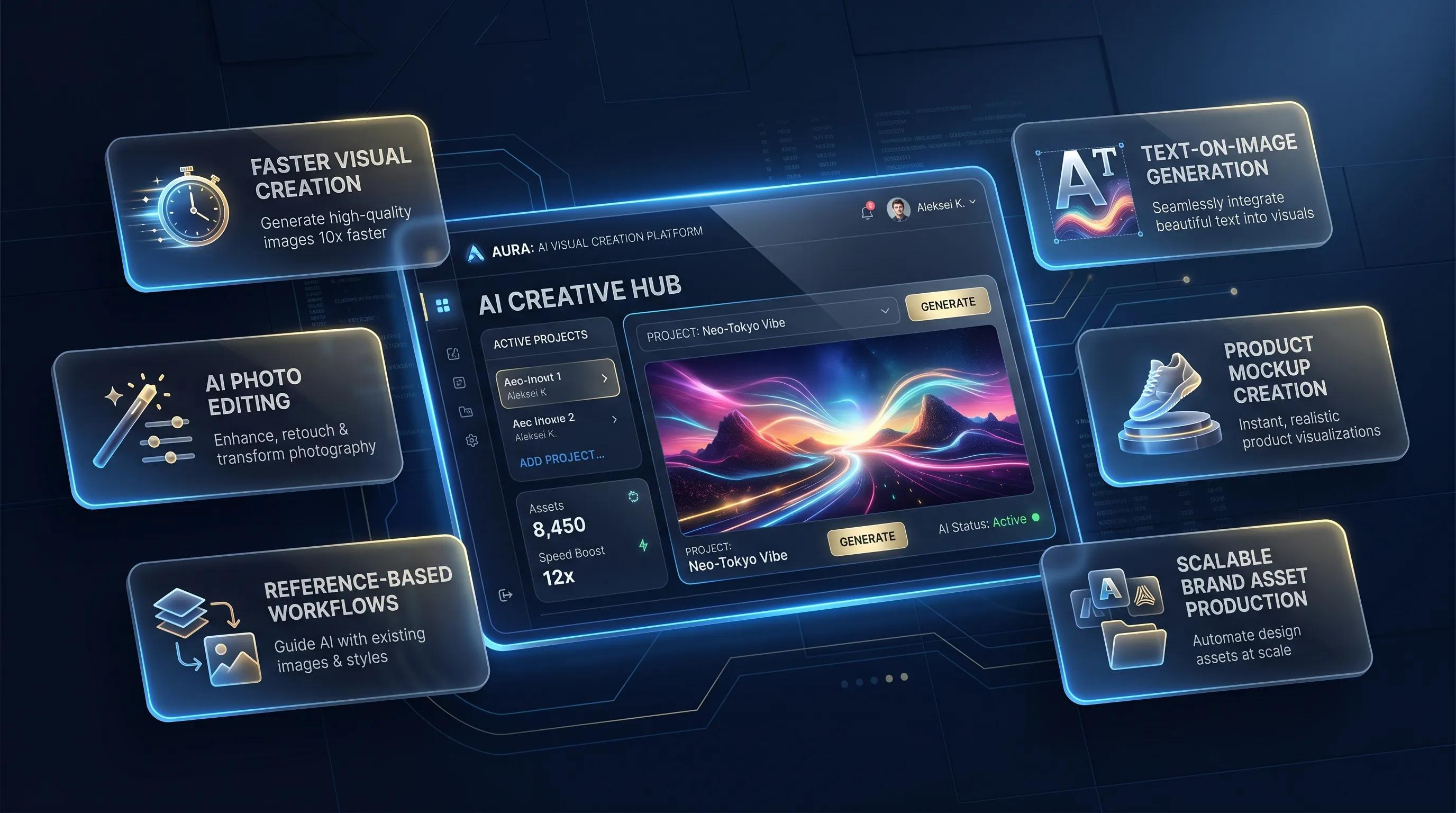
As artificial intelligence keeps changing industries around the world, Microsoft has been working on new ideas in the creative field by launching Microsoft Designer. Microsoft Designer was officially released in October 2022. It's an AI-based tool that helps people create visual content more easily. It's designed for use by individuals, businesses, marketers, teachers, and content creators.
The platform uses artificial intelligence along with easy-to-use design tools to help users create high-quality graphics quickly. Microsoft Designer helps people make nice-looking designs for things like social media posts, marketing stuff, ads, presentations, invitations, and other promotional materials. You don’t need to know a lot about design or have special technical skills to use it.
About Microsoft Designer
Microsoft Designer is a new graphic design tool that uses artificial intelligence to help create visuals. Microsoft Designer is different from usual design tools that usually need a lot of training and special skills. It's made to be easy to use and accessible for everyone. Users can easily explain the kind of design they're looking for, add pictures if they want to, and let artificial intelligence create several design ideas on its own.
The platform is made to solve one of the biggest issues creators face—the problem of starting with a blank canvas. Instead of spending a lot of time choosing layouts, colors, fonts, and how things are arranged, users get several AI-made ideas that can help them start their creative work.
This method cuts down on the time needed for designing while helping users get clean and professional-looking outcomes. It lets businesses and creators spend more time on their message, brand, and goals instead of spending too much time on the technical parts of design.
Getting Started with Microsoft Designer
Using Microsoft Designer is straightforward and beginner-friendly. The first thing you need to do is make sure you have a Microsoft account, either by creating one or logging in with an existing one. Users who already have a Microsoft account can sign in to Designer with the same username and password they use for other Microsoft services.
Once users log in, they see a friendly and easy-to-use interface that shows what the platform can do. A basic guide explains to beginners how AI helps in creating designs automatically.
To start making a design, users write a description of what they want the visual to look like. This prompt can have details about why the design is being made, who it's meant for, the kind of style people like, the colors to use, and the messages that should be communicated. Users have the option to either upload their own pictures or use artificial intelligence to create images.
Once the prompt is sent, Designer creates several different design options. These options usually have different ways to look, different designs, and various creative ideas that are made based on what the user says or provides. Users can then change the chosen design by editing text, colors, pictures, font style, space between elements, and other looks before they download or send the finished version.
Key Features and Functionalities
Microsoft Designer comes with many useful tools that help make creating content faster and more fun:
- AI-Powered Design Generation: The main part of the platform is that it can create full design ideas on its own using just simple text instructions. This cuts down the time needed to make professional-looking visuals a lot.
- Multiple Design Formats: Users can create content in different sizes that work well for various platforms, like square, landscape, and portrait shapes. This flexibility helps work well with different platforms like social media, websites, ads, and presentations.
- Intelligent Image Generation: Microsoft Designer lets people create special pictures with the help of artificial intelligence. This feature is really helpful when stock images don't show what the user wants to create.
- Brand Kit Integration: Companies can add their brand colors, logo, and fonts to make sure all their marketing stuff looks the same. This helps to build a stronger brand image and make the brand more recognizable.
- Inspire Me Feature: The Inspire Me feature offers different design ideas, layout options, typeface choices, and color combinations. This feature inspires creativity and allows users to try out fresh design ideas.
- Drag-and-Drop Editing: Users can easily move items on the canvas by dragging and dropping them, which makes customizing things simple and easy to understand.
- Microsoft Create Integration: The designer works with Microsoft Create, giving users access to a lot of different templates for resumes, presentations, portfolios, social media content, and marketing materials.
Benefits for Businesses
Today's businesses need a steady supply of visual content to stay ahead in the online world. Microsoft Designer provides various benefits that help businesses grow and achieve successful marketing campaigns.
One major benefit is efficiency. Marketing teams usually have to work under tight time limits and with not a lot of resources available. The designer helps them create top-quality visuals fast, without needing to depend completely on outside design companies. The platform also helps maintain brand consistency. Using the same visual branding consistently helps customers recognize and trust the brand more.
Cost savings represent another important advantage. Small businesses and new companies might not always have a professional graphic designer working for them. With this platform, businesses can quickly create content for product launches, promotions, events, seasonal campaigns, and social media activities.
Benefits for Content Creators
Content creators work in a very competitive online world where how things look is very important for keeping people interested and watching. Microsoft Designer helps creators make nice thumbnails, eye-catching ads, social media pictures, and brand materials fast and easily.
AI-created design ideas often bring up new and creative thoughts that creators may not have thought of on their own. This allows for more creative ideas while saving time during production. Freelancers, influencers, bloggers, YouTubers, and social media managers can especially gain from the platform's ability to make content creation processes easier and more efficient.
The Growing Importance of AI-Powered Design Tools
The design field has changed a lot in the last ten years. What used to need advanced software skills and lots of experience can now be done in just a few minutes with the help of artificial intelligence.
Today's businesses need a steady supply of visual content for their websites, social media posts, ads, presentations, email campaigns, and digital marketing strategies. Creating this content by hand can take a lot of time and money.
Microsoft Designer helps close this gap by offering smart design ideas that make it much easier to create professional-looking visuals. Artificial intelligence looks at what the user enters and then creates layouts, font styles, color schemes, and where to put images that match today's design trends. This lets businesses and creators spend more time on planning and talking to people instead of spending too much time on making the designs.
Artificial Intelligence and Creativity
Artificial intelligence is changing creative fields by handling routine tasks and giving smart suggestions. Instead of taking the place of human creativity, Microsoft Designer helps to make it better. The AI works as a helper that comes up with ideas and takes care of the technical parts of design, but the user stays in charge of the creative decisions.
As AI technology keeps getting better, creative tools will become more advanced, giving more personalized options and better help with design.
Integration with Microsoft 365
One of Microsoft's biggest advantages is how well all its products and services work together. The designer works smoothly with Microsoft 365 apps like Word, PowerPoint, Outlook, Teams, and OneDrive. This integration allows users to add images straight into their presentations, reports, marketing materials, and group projects.
Companies that are already using Microsoft tools can enjoy easier workflows, better file organization, and improved teamwork. The integration also helps cut down on problems that come up when using several third-party tools together.
Real-World Applications
Microsoft Designer is suitable for many different purposes in various fields:
- Corporations: Companies can design marketing campaigns, social media ads, product deals, event posters, email marketing images, and company presentations.
- Education: Schools and colleges can create teaching stuff, classroom tools, student work, and facts-based information.
- Entrepreneurs: Entrepreneurs can create branding assets, pitch decks, promotional materials, and business communications.
- Nonprofits: Nonprofit groups can create campaigns to raise awareness, make materials to collect donations, and develop content to connect with the community.
Challenges and Limitations
Microsoft Designer has many helpful features, but it also has some things it can't do. Some designs made by AI might need adjustments by hand to match exactly with a brand's rules or creative goals. Some advanced graphic designers might notice that the customization features aren't as detailed or complete as those found in more specialized programs like Adobe Photoshop or Illustrator.
The platform is also still evolving. Features like advanced animations, complex image editing, and detailed design control are getting better with each new update. However, these limitations are not too big when you think about how easy the platform is to use, how convenient it is, and how much it's worth overall.
The Future of AI-Powered Design
The future of design is going to rely more and more on artificial intelligence and automation. As technology improves, AI tools will get better at figuring out what users like, guessing what designs they might need, and creating content that is very tailored to each person.
Future improvements could bring better image creation, video making, animation tools, voice-guided design processes, and smart suggestions for brand development. Microsoft Designer is set to be an important part of this change by making high-quality design available to more people.
Companies that use AI-based creative tools can boost their efficiency, speed up the making of content, and stay ahead in fast-changing digital industries.
Continuous Innovation and Future Enhancements
Microsoft is still putting a lot of money into artificial intelligence and cloud technologies. So, Microsoft Designer is likely to get regular updates and improvements that will make it even better. Future updates could bring more sophisticated image creation, better animation tools, improved video editing capabilities, more flexible customization choices, and deeper connection with Microsoft 365 apps.
AI technology is getting better at figuring out what users want, what designs they like, and what brand needs they have. This means that later versions of Designer might be able to create even more customized and precise design ideas based on how users behave and what their project goals are. The way AI helps with design is changing how companies make content. It's making high-quality design easier to get, faster to use, and better for growing businesses.
Conclusion
Microsoft Designer is a big step forward in how creative technology is developing. Microsoft has made a platform that helps everyone, whether they are experts or just starting out, to create great-looking content fast and easily by using artificial intelligence along with a user friendly design.
The platform successfully addresses common design challenges, including creative blocks, limited technical expertise, and time constraints. Its AI-powered capabilities help users generate professional-quality designs while maintaining flexibility and creative control.
Businesses can leverage Designer to enhance marketing efforts, strengthen brand consistency, and improve productivity. Content creators can use it to develop engaging visuals that capture audience attention and support growth.
Although the platform still has room for improvement, its current capabilities demonstrate the tremendous potential of AI-assisted design. As Microsoft continues to invest in innovation and refinement, Designer is likely to become an increasingly important tool for digital content creation. For anyone seeking a simple, efficient, and intelligent design solution, Microsoft Designer offers a powerful combination of creativity, technology, and accessibility. It is more than just a design application—it is a glimpse into the future of creative work, where artificial intelligence and human imagination collaborate to produce exceptional results.


Leave a Reply
Your email address will not be published. Required fields are marked *